

viaim Nano+
Shimmering silver
6,699.00 ฿
Skip to product information


viaim Nano+
6,699.00 ฿
Real-time transcription and translation in 78 languages, covering 145 language variants, accents, and dialects
Automatically create structured summaries, key points, task lists, and mind maps.
Start FlashRecord directly from the headphones without opening the app on your phone first.
Open-ear ear-hook design supports extended wear while keeping you aware of your surroundings.
Four microphones with call noise reduction make conversations and voice capture for transcription clearer.
Includes 600 minutes of AI transcription per month, and you can get started without signing up for a paid plan.
Bluetooth 5.3 supports connection to 2 devices.
Supports recording phone calls, internet calls, in-person meetings, and audio or video.
Up to 19 hours of use per charge and up to 53 hours with the charging case.
Racetrack-shaped polymer dynamic driver, supporting SBC, AAC, and LHDC depending on device compatibility.
Select your preferred color
Choose a color for viaim OpenNote
Select the product set you want
Choose the product set you want. OpenNote is already included with every option.
What can NoteKit do?

Designed for computer conferencing
Connect NoteKit to your computer to record online meetings. Then, the viaim app will turn the conversation into a transcript, a summary of key points, and a clear list of action items.
Choose an AI plan
Includes 600 minutes per month. Upgrade anytime if you need more.
Your selected items
- Color
- Equipment
- AI package
- Product total
- AI package price
- Grand total

Explore OpenNote AI
Discover the intelligence behind every conversation
AI translation
AI-powered smart summary
AI workspace
viaim AI Recording & Transcription
Capture Every Word. Effortlessly.
From meetings to calls, capture conversations and turn speech into clear, accessible text.


AI translation
Understand every conversation clearly.Even across languages
Translate conversations in real time or after recording, with bilingual transcripts and flexible language switching for clearer cross-language communication.
Translate in real time
Bilingual transcription
Switch languages flexibly
Translate after saving

01
Real-time translation
View translations in your selected language while the conversation is in progress
Understand the key points right away without waiting for the meeting to end.
Real-time translation
Bilingual transcription
Switch languages flexibly
Post-editing translation
01
Real-time translation
View translations in your selected language while the conversation is in progress
Understand the key points right away without waiting for the meeting to end.

02
Bilingual transcription
View the original text and translation side by side
Quickly check the context and keep the meaning clear.

03
Switch languages flexibly
You can change the translation language based on the language of the conversation or audience.
Keep track of multilingual conversations continuously

04
Post-editing translation
Translate audio files and saved transcripts whenever you need to
Review the previous conversation in the language that works best for you.
AI-powered smart summary
Turn every conversation into a clear point.
Summaries, to-do lists, mind maps, and personalized formats help you identify key points and move forward faster.

Key points
AI-powered smart summary
Condense long conversations into summaries, key points, and clear decisions.

Next step
AI-generated task list
Turn decisions and follow-ups into a clear task list

View the overview
AI mind map
Organize topics and connections into an easy-to-understand visual map.

Personalized for you
AI summary tailored to you
Choose a summary format that suits your meetings, role, or way of working.
Ask Vitana to create your AI Workspace
No need to search, just ask AI
Ask Vitana about your meetings, notes, and documents to get answers from information you already have. Bring your work information together in one place, and manage and access it from any device.

Designed for the way you work
See how viaim turns everyday conversations into tangible results

Online meeting
Hold clear meetings from anywhere

Business calls and video conferencing
Record every business conversation

Global communication
Collaborate across languages

Business meeting
Turn every meeting into a next step

Interviews and Research
Listen deeply to discover what matters
The more care put into every detail, the more lovable it becomes.


Thoughtfully designed
Note
Battery life, charging time, and language features may vary depending on usage conditions, device, system, app version, region, or account plan.
Technical Specifications
Recording and AI
FlashRecord
Start recording audio instantly from your earbuds without opening the app on your phone first.
On-device recording storage duration
One earbud: about 1 hour of in-person recording or about 2 hours of call recording. Two earbuds: about 2 hours or 4 hours, respectively.
Freeing up space
Sync recordings to the app to free up space on your earbuds and continue recording.
Recording scenarios
Phone and internet calls, in-person meetings, audio/video content, and real-time translation
Supported languages
Real-time transcription and translation in 78 languages, covering 145 language varieties, accents, and dialects
AI-powered processing
Generate structured summaries, key points, action items, and mind maps. Features and quotas depend on your account and plan.
Sound and calls
Drivers
Racetrack-shaped dynamic drivers made from polymer
Microphones
4 microphones
Noise reduction during calls
Supported
Audio codecs
SBC, AAC, and LHDC (depending on the device)
Connectivity and Controls
Bluetooth Version
Bluetooth 5.3
Two-Device Connection
Supported
Voice Control
Supported
Instant recording
Supported, starting with the headphones only
App control
Start or manage recordings and adjust device settings in the viaim app
Battery and charging
Earbud battery life
Up to 19 hours
Total battery life
Up to 53 hours with the charging case
Battery capacity
Earbuds 115mAh; charging case 750mAh
Charging time
Earbuds: approximately 1.5 hours; charging case: approximately 2 hours at 25°C
Charging method
Wired charging via USB-C
Design and weight
Wearing style
Open-ear, ear-hook design
Earbud weight
10.5 g per earbud
Charging Case Weight
Charging case: 55.5 g
Color
Black and white
Compatibility
Mobile devices
The viaim app supports iPhone, iPad, and Android phones and tablets.
Apple system requirements
iOS 17.0 or later, iPadOS 17.0 or later, and macOS 14.0 or later on an Apple M1 chip or later.
Android system requirements
Android 10 or later
Web platform
View, edit, and organize audio recordings and notes through the web platform
Call recording compatibility
Supports call recording and internet calls. Availability may vary by device, app, system, and region.

viaim App
Subscription packages are available to choose from.
Upgrade your plan in the app
Basics
Free
Free
- Recording: Unlimited
- Transcription time: 600 minutes per month
- File management (can edit and export): ✅
- To-dos & summaries: Unlimited
Promotion
Most popular
฿375
/ dollars per month
฿2900
/ dollars per year
- Recording: Unlimited
- Transcription time: 1,800 minutes per month
- File management (can edit and export): ✅
- To-dos & summaries: Unlimited
Ultra
฿699
/ dollars per month
฿5850
/ dollars per year
- Recording: Unlimited
- Transcription time: Unlimited
- File management (editing and exporting): ✅
- To-dos & summaries: Unlimited
Compare products
Find the right products for your work style
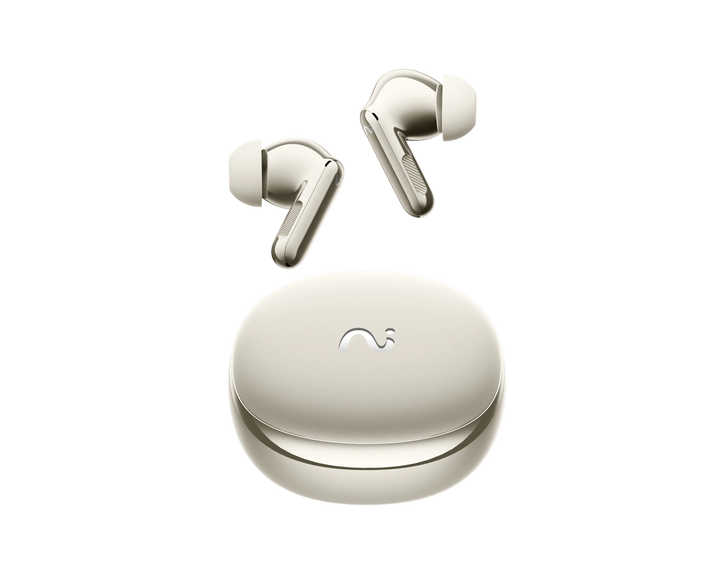
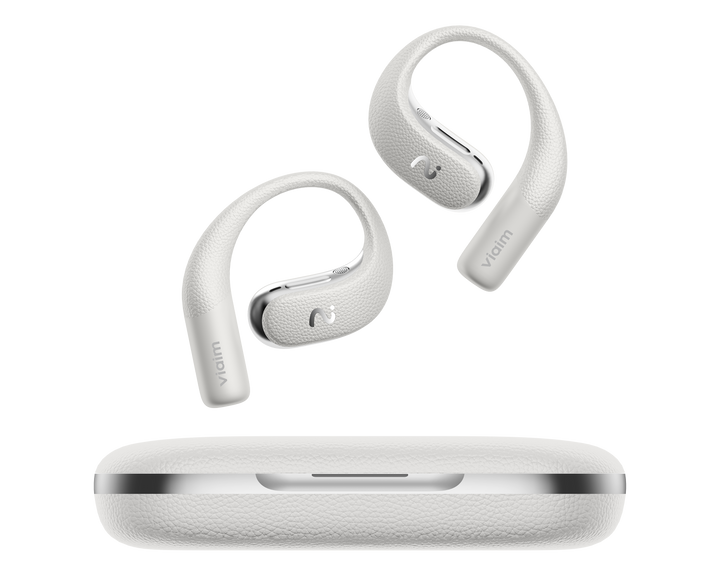
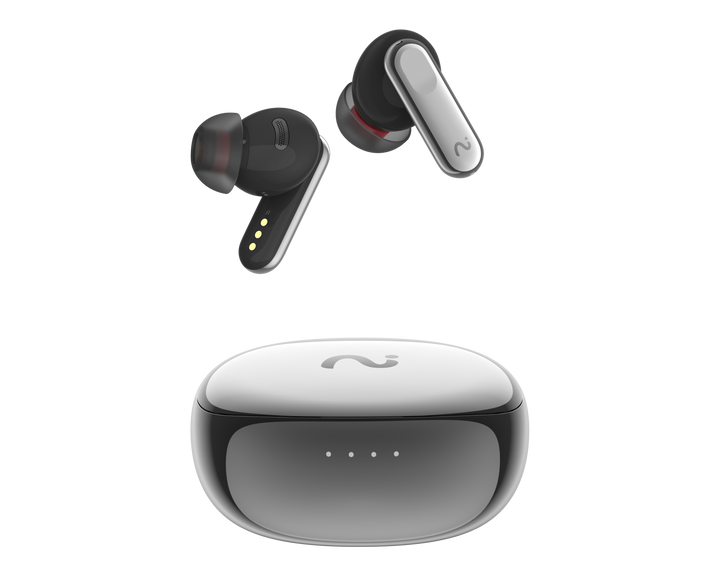
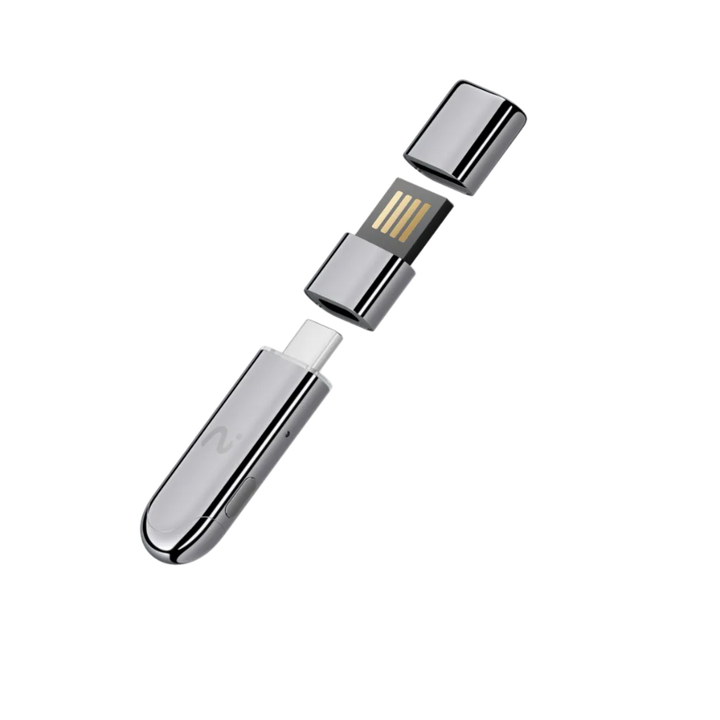
Design
In-ear headphones with ANC
Open-ear headphones
In-ear headphones with ANC
USB audio recording device
Suitable for
Record meetings with one button press.
Comfortable to wear all day long
Everyday calls and listening to audio
Computer-based meeting
Audio recording
Record through the headphones and case
Phone calls and in-person conversations
Real-time calling and translation
Computer and Meeting Audio
Noise reduction
Up to 48 dB ANC
Open-ear design
ANC 45 dB
—
Battery
Up to 36 hours
Up to 53 hours
Up to 40 hours
USB-powered
AI features
AI Transcription and Summary
AI Transcription and Summary
AI Transcription and Summary
AI Transcription and Summary
Supported transcription languages
Supports 78 languages and 145 language formats
Supports 78 languages and 145 language formats
Supports 78 languages and 145 language formats
Supports 78 languages and 145 language formats
Compatible devices
iOS and Android
iOS and Android
iOS and Android
Windows and macOS
Start recording audio
Button on the earbuds or case
Button on the headphones
Button on the headphones
Desktop app
Find the perfect set for you 3 quick questions · takes about 30 seconds Start the test
Which set best suits your way of working?
Answer 3 quick questions, and we’ll recommend a set that’s right for your meetings, calls, and everyday work.
Your setup is ready
Add the matching result block in the Theme Editor to show this recommendation.
YOUR IDEAL SETUP
Basic set
OpenNote
Everything you need to record conversations throughout the day
OpenNote is ideal for calls, meetings, interviews, and ideas throughout the day.
Why this setup?
- Call and in-person meeting notes
- Comfortable to wear throughout a long workday.
- Turn conversations into transcripts, summaries, and action items
YOUR IDEAL SETUP
Professional Work Set
OpenNote + NoteKit
Complete AI meeting kit for work
Seamlessly switch between online meetings at your desk and important conversations wherever work takes you.
Why this setup?
- NoteKit meeting notes on your computer
- OpenNote manages calls and conversations on the go.
- A single AI workflow turns everything into something actionable.
YOUR IDEAL SETUP
Ready-to-travel set
OpenNote + Portable Bag
Designed for work that goes wherever you do.
An outfit suitable for business trips, commuting, meeting clients, and flexible workdays.
Why this setup?
- Safely bring OpenNote to meetings.
- Record calls and conversations wherever you work.
- Ready for meetings all day long

ISO 27001

ISO 27701

SOC 2 Type II

HIPAA

EN 18031
Frequently Asked Questions
Want to learn more about OpenNote?
Short answers collected here
What is OpenNote, and how is it different from a regular voice recorder?
OpenNote is open-ear AI note-taking headphones designed to record conversations during work. Unlike a typical voice recorder, it connects recording with transcription, summaries, and to-do lists in viaim's workflow.
What can OpenNote save?
OpenNote can record phone calls and online calls, in-person meetings, audio or video currently playing, and personal voice recordings. Actual support may vary depending on the device, platform, and requirements in each region.
Can I record audio without using a phone?
Yes, you can start recording from the earbuds without turning on your phone. However, syncing, managing recordings, and AI processing still require a connection to a supported viaim service.
Do I need to use the viaim app to use OpenNote?
Basic listening and calling do not require an app, and recording can be started from the headphones. Device setup, syncing and managing recordings, and AI processing such as transcription and summarization require the viaim app or a related service.
What kinds of summaries can OpenNote create?
OpenNote can organize conversations into key points, to-do lists, structured summaries, and mind maps. Templates and levels of detail may vary depending on the app version or AI plan.
Can I edit or adjust the results generated by AI?
Yes, you can edit or create new content and use prompts to adjust the topic, structure, and level of detail. The available features depend on the app version and plan.
Can I upload my own recording or file?
You can import recording files and supported files into the AI workflow. File types, maximum file sizes, and plan permissions for Thailand are still awaiting confirmation.
Do I need to sign up for a paid plan to use OpenNote?
You don’t need a paid plan to use the hardware’s basic recording functions, but some AI features, usage limits, or advanced services may depend on the plan you choose. Benefits and pricing for Thailand will be confirmed before launch.
Is recording a conversation legal?
Recording laws vary by country, region, and situation. Inform participants and obtain any required consent before recording, and follow applicable laws and organizational policies. Product features cannot guarantee legal compliance on users’ behalf.
How are OpenNote and RecDot different?
OpenNote features an open-ear design, making it comfortable to wear for long periods while still letting you hear the sounds around you. RecDot is an in-ear model that offers more isolation from surrounding noise and more ways to start recording. The best model for meetings depends on your preferences for comfort, environmental awareness, and recording options.
2-year warranty
Protect your product when you need it most.
Fast delivery
Fast shipping on all orders
Returns accepted within 30 days
Try it with confidence, and return it if necessary.
Secure payment
Pay securely with debit cards, credit cards, PayPal, and other supported payment methods.

